
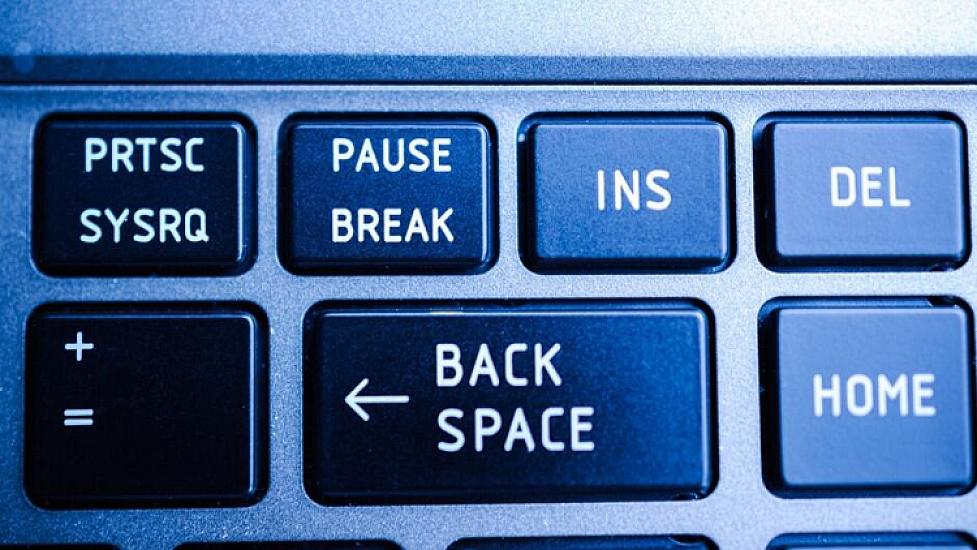
The "Pause Break" key, which has been on the top right corner of your keyboard for years but is hardly ever touched, is actually a legacy from the telegraph era. You will be surprised to learn why this key still has a place on keyboards, from accessing system information in seconds to stopping running codes.
National.Az reports that this key, usually dusty and lonely on the far right of your keyboard, has a very deep-rooted history. Although many users may have never pressed the "Pause Break" key even once in their lifetime, the story of this small key dates back long before modern computers, all the way to telegraph lines.
Today, although we are used to using the space bar to pause videos, this ancient friend still continues to perform some critical functions deep within the system.
The origin of the key dates back to the mid-19th century, to telegraph systems, which were the fastest means of communication at the time. The logic used then to physically break the circuit and send a signal to the other side turned into a digital command with the start of the computer era. In old mainframe systems, instantly stopping a running process or sending a signal was vital. Over time, these functions have shifted to different combinations, but for software specialists and system administrators, the "Pause Break" key still holds special meaning.
Hidden time savers for "Windows" users
When combined with the right keys, the "Pause Break" key can save you from navigating complex menus:
Quick access to system information: If you want to learn your computer’s RAM capacity, processor model, or Windows version, use the Windows + Pause Break combination. This shortcut will take you directly to the system properties page.
Stop codes and processes: When you want to stop a program running via the command prompt or halt a long data stream, Ctrl + Pause Break comes to your aid.
Freeze the boot screen: If you want to read the technical texts on the screen during the initial boot moment of the computer (black screen period), pressing this key lets you freeze the image. This makes it easier to investigate hardware-related errors. (Note: This may not work the same way on every motherboard).
Currently, some laptop manufacturers prefer to save space in keyboard design by completely removing this key or hiding it under Fn combinations. If this key still holds its place on your keyboard, instead of merely seeing it as a nostalgic piece, you can give it a chance as a practical gateway to the depths of your system.